July updates: CLI 3.8.0, form statuses, and interactive chat
July’s headline is twofold: Forms now support statuses for project-style workflows, and Dailybot CLI 3.8.0 takes the interactive chat surface, forms, and check-ins to the terminal. Both ship with the agent skill pack, human-guided automations, time off by chat message, and a refreshed developer portal.
CLI 3.8.0: Dailybot from the terminal
It’s easier than ever to run Dailybot from your terminal, and to let coding agents do the same. CLI 3.8.0 is available now.
From the CLI you can send chat messages with buttons (approvals, links, workflow starts, and full custom layouts with modals), create and configure forms and check-ins, and browse workflows and channels.
The matching agent skill pack 3.11.0 teaches AI coding agents that same toolkit. An agent can post an approval in chat, wire it to your CI, and let a human decide there. Recipes in the solutions portal include copy-paste examples for curl, the CLI, and agent prompts.
Full command reference: /developers/cli-reference. Explore all open-source projects on GitHub.
Interactive buttons and modal flows
Chat messages can now ask people to act. Approve a deploy, start a workflow, open a form, or collect a short incident report without leaving Slack, Teams, Google Chat, or Discord.
Each message can carry up to 25 buttons. A click can call your server (with a signed callback), open a form, run a ChatOps command, send a prompt to the Dailybot AI, or start a workflow. Buttons can also open a small modal to collect input, or post an automatic reply when clicked.
See how to build it in the chat automation recipe, or read the full send-message API reference.
Form statuses for project workflows
Forms are no longer only intake. You can define statuses on a form, move each record through them, and keep a clear history of who changed what and when.
We use this ourselves for pre-releases: each release checklist lands as a form record, starts in Pre-release with the pull requests and Linear card attached, then moves to Released when it ships. The status history is the audit trail.
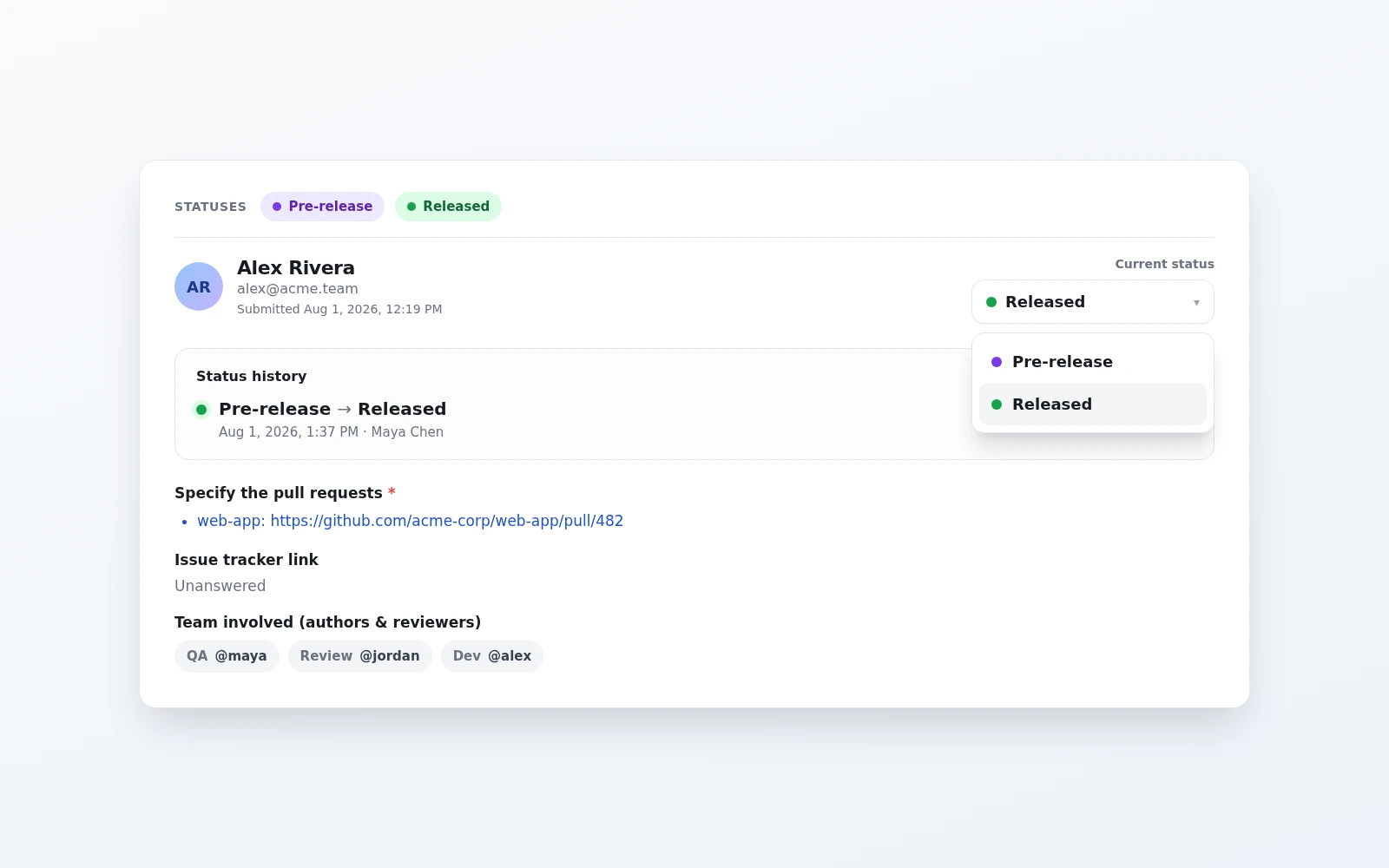
The same pattern works for review queues, request pipelines, and any process that needs a shared status instead of a static submission.
Automations can react too. A new trigger, Form record changes status, starts a workflow when a record moves to a new status, so the next step can run without someone babysitting the queue.
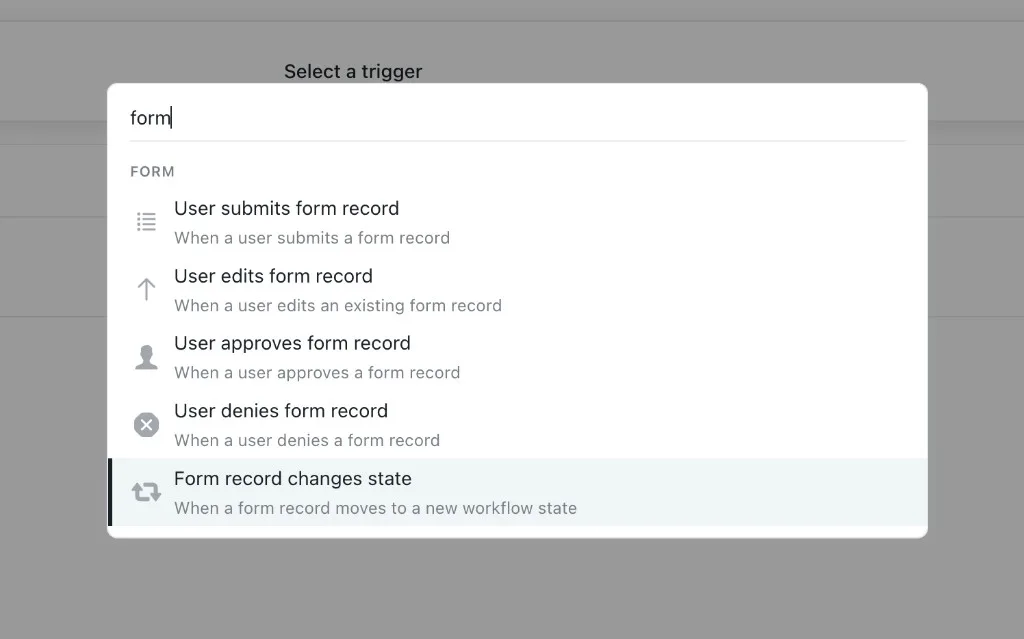
Status support lands across the web app, API, CLI, agent skill pack, and chat. Create/Edit Setup places statuses under Additional settings with the newer settings layout. Start from the forms lifecycle recipe to wire statuses, permissions, and chat openers end to end.
Human-guided automations
Automations can start from an interactive message button, a form status change, or the public API. Use an api_trigger workflow when an external system or button click should start the run. The request or click payload becomes workflow variables for every downstream step.
When a person needs to decide, add a Human-in-the-Loop step. The workflow pauses for an approval, choice, rating, or comment, then resumes with that answer available downstream. Human-in-the-Loop is available to all organizations.
Send a request steps can call protected endpoints with a bearer token, basic authentication, or a custom header. Stored credentials are write-only and masked on read paths.
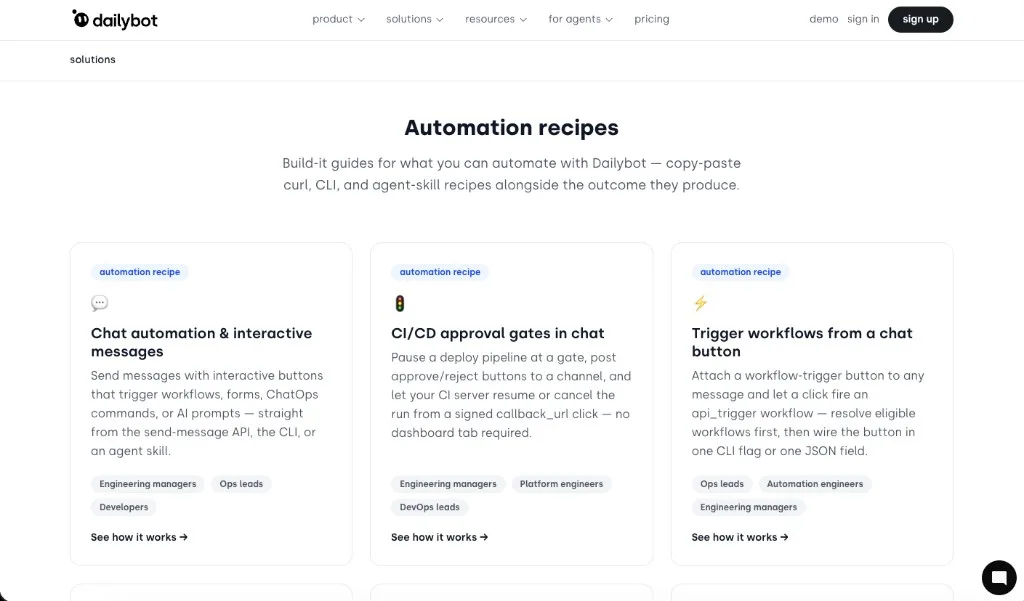
Ready to try it? Start with CI/CD approval gates in chat: pause a deploy, post approve/reject buttons to a channel, and resume from a signed click. Or browse the full set of automation recipes.
Time off via chat
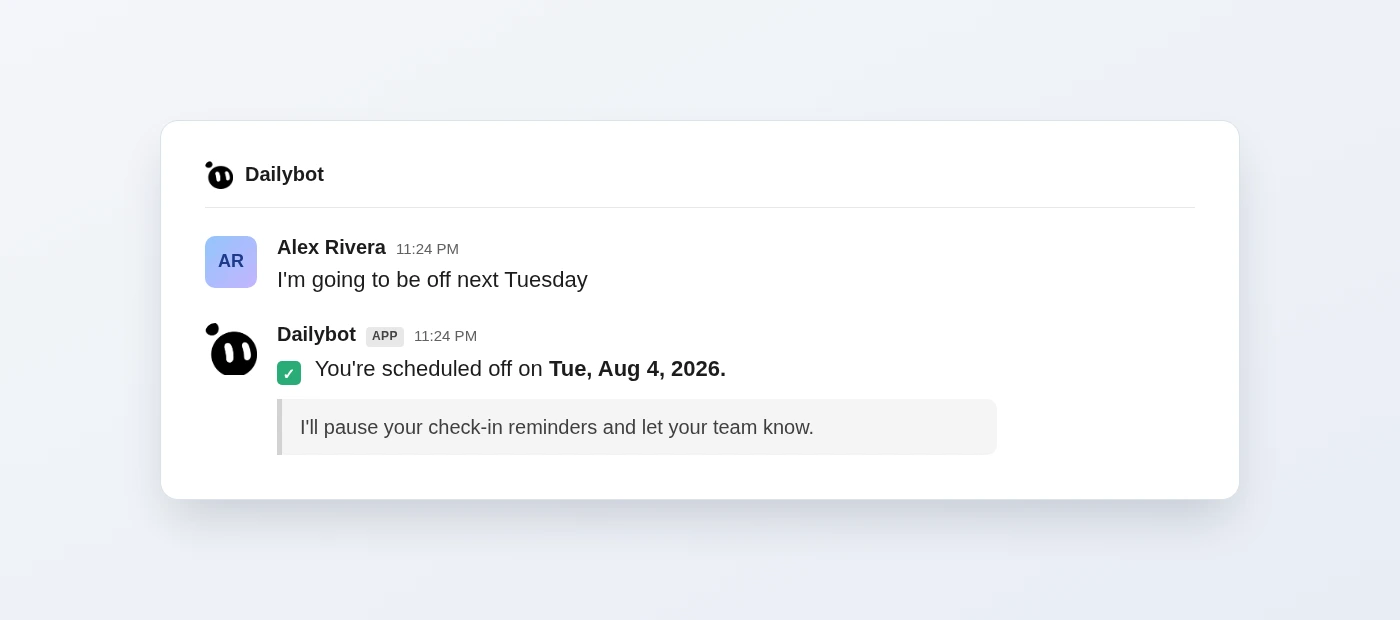
You can book time off by messaging Dailybot in natural language. Type a date or date range in English, Spanish, or Portuguese, and your time off is logged instantly. No forms to fill, no dashboards to open.
Developer portal refresh
The developer portal got a Q3 pass for the latest API and CLI surface: auth badges on every endpoint, refreshed CLI authentication docs, pagination guidance everywhere, and a consolidated error code reference. The API reference, CLI documentation, and agent skill docs now match the latest capabilities.
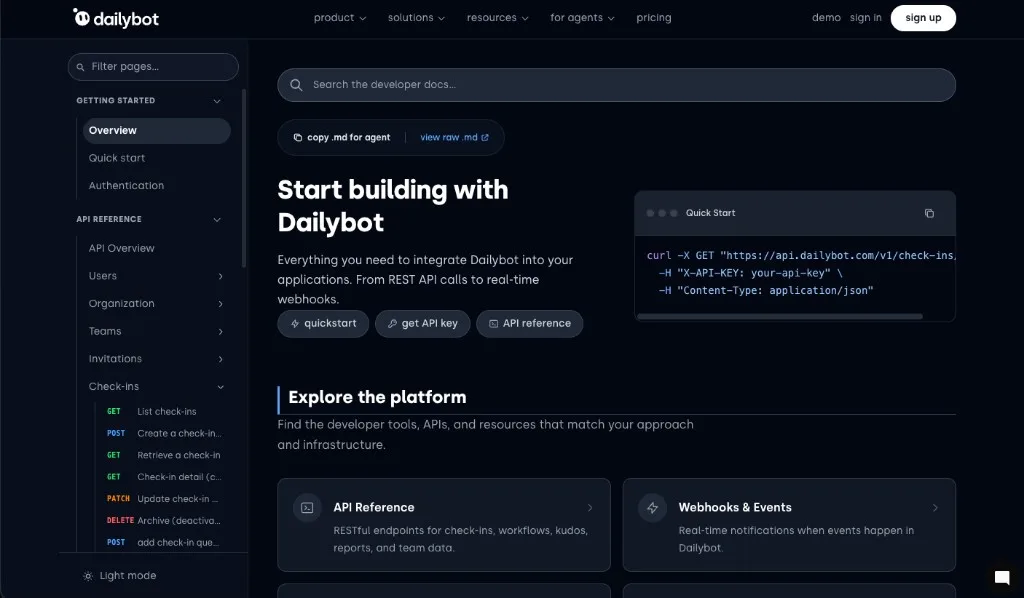
Finding the right page is faster too. Instant search covers API endpoints, guides, and CLI commands. Results show content-type and HTTP-method badges and can open the relevant endpoint section directly. You can also filter the documentation sidebar as you type: matching sections expand automatically, and search is case- and accent-insensitive across English, Spanish, and Portuguese.
API
- List endpoints paginate by default, with uniform search and date-range filters.
- Error responses use machine-readable codes, and API keys follow show-once security.
- Member-level RBAC and a send_as_user identity override for bot messages.
Improvements
- Web app reliability: Members no longer flickers or crashes on empty or loading orgs; blank screens after a deploy auto-recover; Google Workspace directory-not-found shows a Reconnect your directory action; creating a standup retries once on a temporary server hiccup.
- Team Context → Celebrations on home now shows teammate birthdays and work anniversaries alongside time off, including people celebrating today, for the next 60 days, soonest first.
Fixes
 FormsApproving or denying a form request in Slack or Microsoft Teams now shows a clear, translated confirmation instead of technical JSON. The correct message is also restored when a request was already approved.
 Kudos
Kudos DiscordKudos should complete more reliably when a step in the flow returns incomplete data.