Manage join settings
Control whether workspace members can join your billing plan automatically or need admin approval first.
Before you begin
- You need Organization admin or Billing manager access.
Steps
- Open the Dailybot web dashboard and sign in.
- Click Settings in the sidebar.
- Select Billing info from the settings menu.
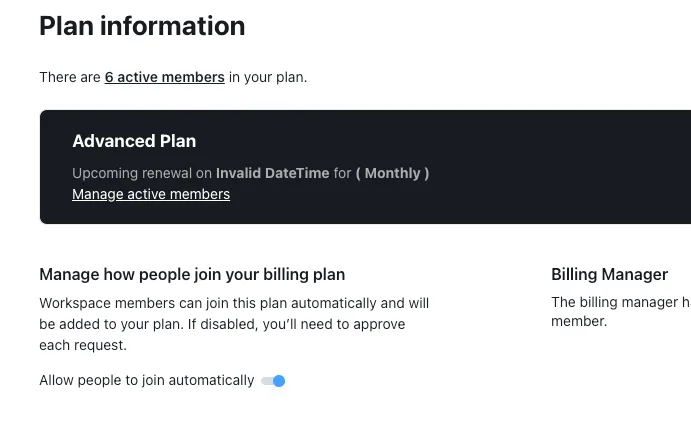
- Scroll to Manage how people join your billing plan.
- Toggle Allow people to join automatically on or off:
- On: workspace members are added to your plan automatically when they join.
- Off: each new member requires your approval before being added to the plan.
- The change takes effect immediately for new members. Existing members are not affected.
What to expect after
When automatic join is enabled, anyone who joins your workspace is added to the billing plan right away. When disabled, new members appear as pending until an admin or billing manager approves them. This gives you control over plan costs while still letting your team invite people freely.